Introducing GNOME 51, "A Coruña"
September 16, 2026
After six months of intense development, we are thrilled to introduce GNOME 51, the latest version of GNOME. We would like to recognize all our contributors who worked tirelessly to make this new version more accessible, practical and user-friendly.
This release is codenamed "A Coruña" in recognition of GUADEC 2026, held in this beautiful Galician city in July. Thank you to the local organizers who made the event possible!
Display and Performance
GNOME's graphics technologies have received another round of performance enhancements for GNOME 51, making the desktop feel smoother and more responsive than ever.

- Improved frame scheduling: Animations will run more smoothly, even when the system is under load, thanks to Mutter's reworked scheduling and screen frame delivery system.
- Faster screen capture: We improved screen recording across the board by reducing redundant work and buffer copying.
- Saved monitor brightness: GNOME now remembers your monitor's brightness level across reboots and HDR toggling.
- Simplified graphics support: we removed support for legacy NVIDIA driver interfaces, as GNOME now uses the modern, standard graphics interfaces exclusively. This simplifies the code and benefits everyone using current drivers.

Support GNOME
This release wouldn't have been possible without the contributions, feedback, and encouragement from our community. Help us keep building technology that works for everyone — every donation goes directly toward development, infrastructure, and community events.
DonateSettings Improvements
GNOME's Settings app has been given a wide range of refinements for GNOME 51.
In Displays, devices that have an accelerometer can now use a new Auto Rotate option, which automatically switches the screen between portrait and landscape orientation as the device is turned. When auto rotation is enabled, a matching orientation lock option lets you pin the display to its current orientation whenever you want. Display arrangement has also been improved, with center-aligned snapping, making it easy to match your physical setup.
The Mouse settings have a useful new option that automatically disables the touchpad when a mouse is plugged in — perfect for laptop users who keep bumping the touchpad while typing.
In Network, new DNS domain search settings have been added, while support for the outdated WEP wireless security standard has been removed entirely, in line with modern security practice. Remote Login now supports SSH socket servers, in addition to the traditional service-based setup.
Elsewhere, the Users tool gains a new, improved fingerprint enrollment interface, and the About (System Details) page has been reorganized, with a handy new button that opens the release notes for the version of GNOME you are running.
Remote Desktop
GNOME's Remote Desktop lets you connect to your computer from another device, so you can use it from wherever you are.
- Remote Your Smartcard: if you use a smartcard — for example the card many workplaces issue for signing in or approving things — you can now plug it into the computer you're working from and use it on the computer you've connected to.
- Authenticate with Kerberos: in work settings that use Kerberos, you can now log straight into a user session remotely, without extra steps.
Maps
Maps has seen its most exciting release in years, thanks to a major new capability: offline maps.
Version 51 allows you to download map areas for a region of your choice, and use them without a network connection. This is a huge win for traveling abroad, where data roaming is expensive or patchy, as well as for areas with poor coverage. Downloaded areas are managed from a simple list, so you can see what you have stored and remove regions you no longer need.

Public transit directions have also received a lot of attention:
- Live departures: tapping a station or stop now shows live departure and arrival times for buses, trains, and other services, where the data is available.
- Real-time delays: journey instructions show real-time delay information, so you can see at a glance whether your connection is running late.
- Track and stop information: instructions tell you which platform or stop to use, making transfers less stressful.
- Walking times: itineraries now show how long it takes to walk to and from the stops on your journey.
Files
Files has received a range of thoughtful improvements in GNOME 51. These include:
- Drag counter badge: when you drag multiple files, a small badge now shows how many items are being dragged.
- Smarter selection: files that have been created by being copied are now automatically selected, making it easy to perform follow-up actions on them. Additionally, right-clicking the empty area of a folder no longer clears your selection.
- Clearer file states: folders now show the correct read-only or unreadable emblem, with a sensible precedence when several emblems apply.
- Improved responsiveness: several slow operations no longer block the app, resulting in a snappier experience. Folder reloading folder views is also faster, especially when using large or slow folders.
- Better notifications: notifications shown by Files are now grouped, making it easier to both find and manage them.
Web
Web, GNOME's browser, has been polished and hardened for GNOME 51.
- Copy page URL: a new keyboard shortcut, Ctrl+Shift+C, lets you copy the address of the current page without needing to open the address bar.
- Secure password generation: Web can now generate strong, secure passwords with the help of the `pwquality` library, taking the guesswork out of creating new accounts.
- Reliable password manager: a round of bug fixing has improved the password manager experience.
- Refreshed address bar: search engine suggestions no longer clutter the address bar dropdown with their URLs, keeping the list clean and readable.
Software
GNOME's Software app manager has a focus on safety and speed in GNOME 51.
- End-of-life warning: when you try to install an application that is no longer maintained, Software now warns you before proceeding, so you can make an informed choice.
- Clearer permissions: the list of Flatpak file permissions shown for an app has been expanded, giving you a fuller picture of what the app can access before you install it.
- Faster startup: Software now reuses cached app data at launch, and icon loading has been optimized, so browsing and searching your apps feels quicker.
Calendar
Calendar is faster than ever in GNOME 51. We reworked the whole app under the hood to make it more responsive. This is most noticeable in the Month view, which scrolls and redraws much more smoothly, even when you have a busy schedule. Opening and browsing large calendars also feels snappier, and the app uses less data in the background when syncing.
There are also some nice usability improvements:
- Map links for locations: event locations can now be opened directly in the Maps app, making it easy to find your way to that meeting or concert.
- High-contrast week view: the Week view now works properly with the high-contrast setting.
- Improved event editor: the event editing dialog has been cleaned up and refined, with a nicer Notes section and better support for Microsoft Teams meeting links.
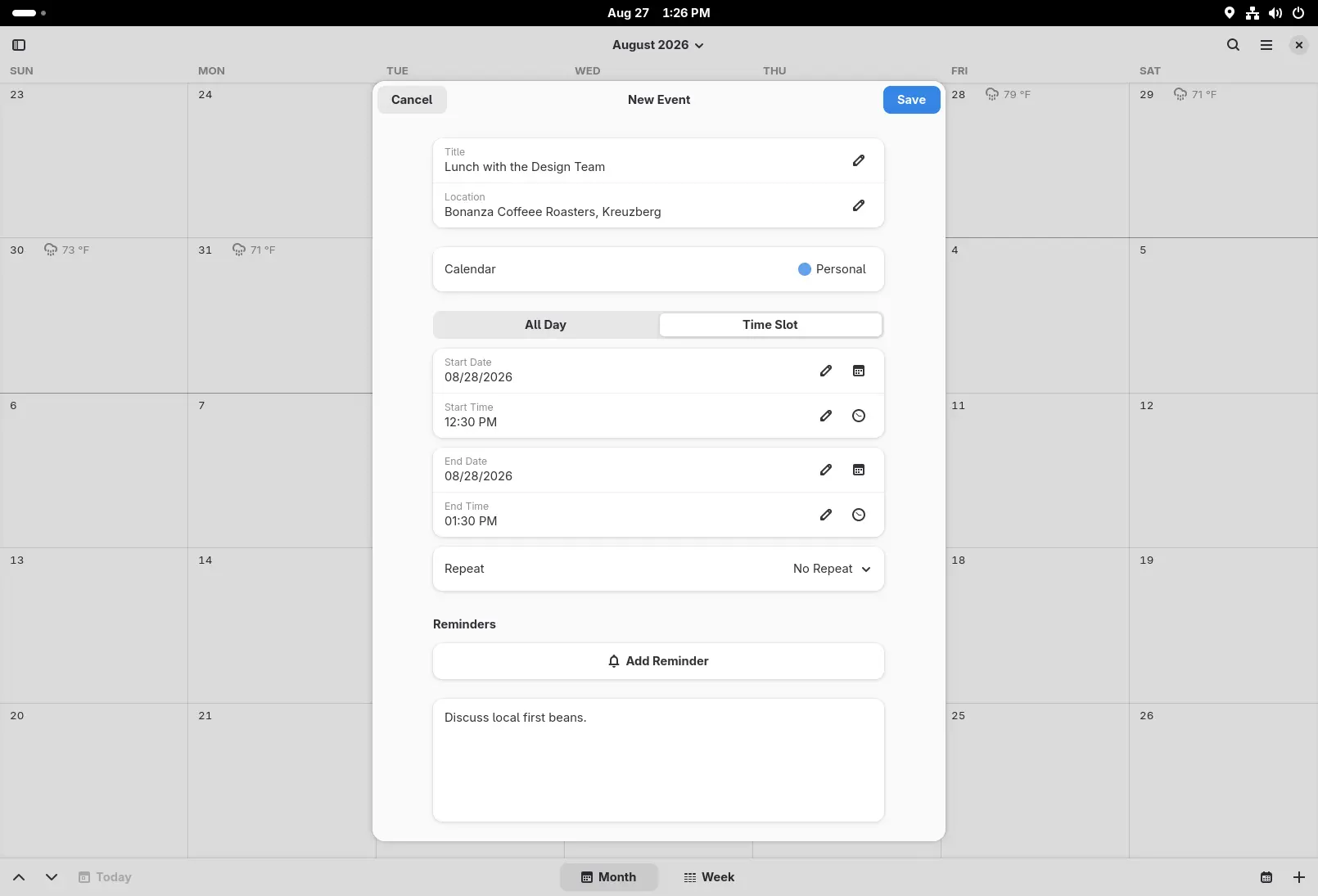

Image Viewer
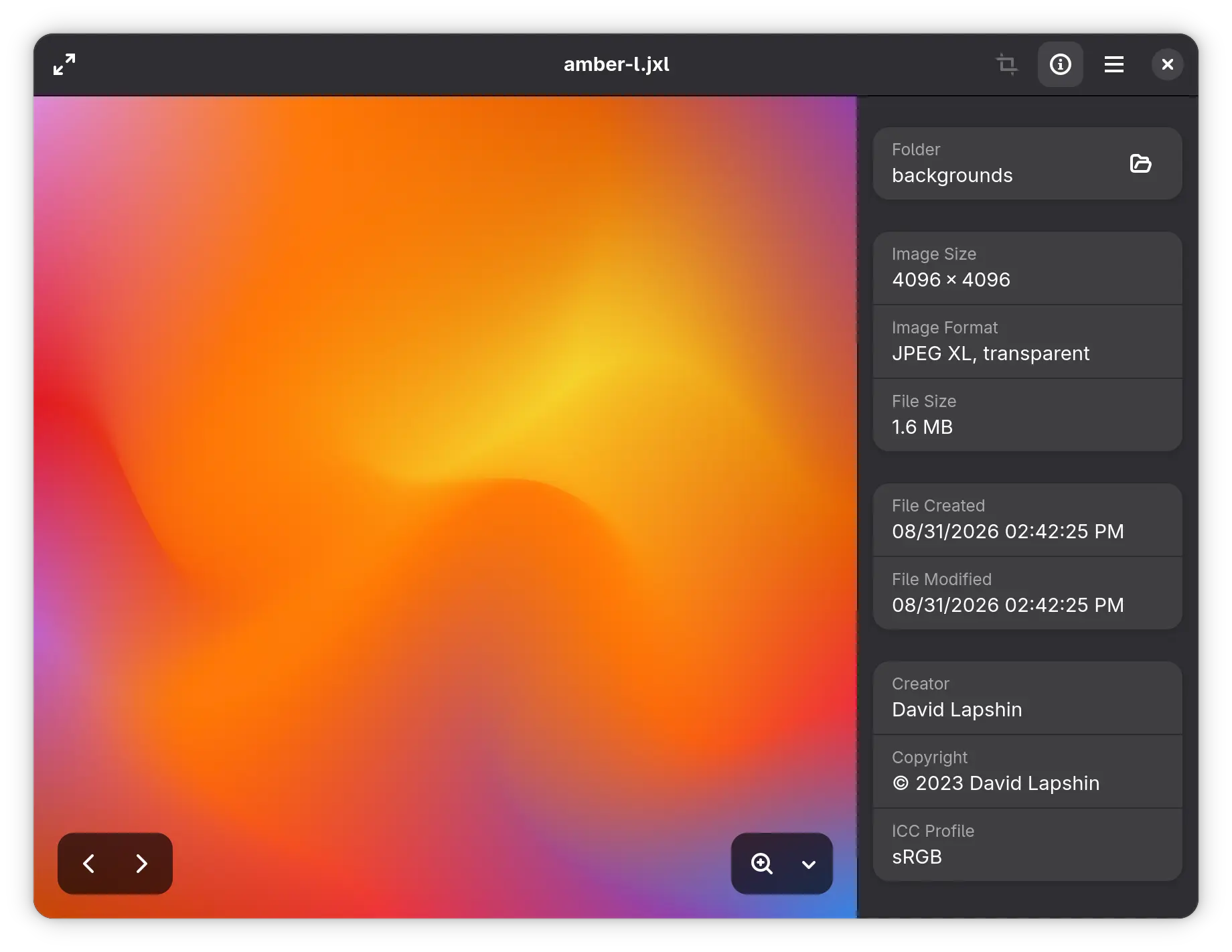
The Loupe Image Viewer now shows you much more about your images. The image properties view has been expanded to include creator and copyright information, the camera lens and other equipment used, as well as the software that produced the image. For color-accurate work, it displays the color profile embedded in the image, so you can tell at a glance whether a picture is wide-gamut or exactly what its color space is.
File Previewer
GNOME's File Previewer (code-named Sushi) is a great utility that appears when you press Space while a file is selected. For 51 it has a complete interface revamp, and is now using modern GTK 4 and libadwaita. The previewer now matches the design language of the rest of the desktop, supports dark mode, displays images at their real size, and uses the same modern image loading and document rendering libraries as the rest of GNOME.

Document Viewer
Papers, the document viewer, can now insert visual signatures into documents — perfect for signing administrative paperwork, forms, and other documents that call for a handwritten signature.
Signatures need no special hardware or certificates: right-click anywhere on the document and choose to create a new signature, or pick one you have already saved. You can draw a signature with your mouse or touchscreen, or import an image of your own handwritten signature — Papers automatically removes the background, so your signature blends into the page instead of sitting on a plain box. Unlike digital signatures, visual signatures do not guarantee the authenticity of a document, but they remain widely accepted in practice. The feature was developed by Malika Asman during her Outreachy internship with the GNOME Foundation.

There are also a number of other improvements in this release:
- Paper sizes are now described with more detail in the document properties.
- Free text annotations are now printed by default, so your notes are included whenever you print a document.
- Rendering at fractional scales has been improved, taking advantage of GTK's new snapping API.
- The previewer now remembers the size and maximized state of its window.
Accessibility
Accessibility has received a lot of attention in GNOME 51, with improvements throughout the desktop.
- Reduced motion, extended: the Reduced Motion accessibility setting is now respected in more places than ever, including in many core widgets and in the shell itself. If you prefer a calmer interface, fewer parts of the desktop will animate.
- Keyboard-friendly screenshots: the screenshot area selection can now be adjusted entirely with the keyboard. Use the arrow keys to resize the selection, hold down Alt to move it instead, and press Shift or Ctrl for coarse or fine adjustments, or R to reset the area.
- Focus ring timeout: a new setting in the Accessibility settings lets you disable the focus timeout, which is useful when assistive technology needs more time to interact with interface elements.
- Cleaner screen reader output: the screen reader no longer announces the app dock twice, search results are described more usefully, and the app grid is easier to navigate.
Other Improvements
GNOME 51 also brings a wide range of smaller but meaningful enhancements across the desktop:
- Login screen authentication: the login screen now supports selecting between multiple authentication mechanisms, including web-based login where it is set up, making it easier to log in with corporate or online accounts.
- SVG cursors: in GNOME 51, pointer cursors are rendered from scalable SVG images rather than static bitmaps, resulting in cursors which are always sharp, irrespective of display configuration.
- Secure key storage: GNOME now stores and retrieves passwords and keys using, oo7, a new component which delivers enhanced security.
GNOME Circle
Circle is GNOME's initiative to recognize and support the best community-created apps which use the GNOME platform. Since the last release, three new projects have joined the Circle.

Bobby is a friendly app for browsing SQLite databases. Open any SQLite file and scroll through tables and views of any size, copy cells or whole rows — handy for app development and troubleshooting.

Tally is a simple, elegant counter app. Create as many counters as you like, organize them into categories, and give each one a color that makes sense to you.
Bazaar is a new app store for GNOME, focused on discovering and installing apps and add-ons from Flatpak remotes, particularly Flathub. Bazaar also includes a curated section that distributions can customize to suit their own needs.

Welcome to these new members of the GNOME community!
Wallpapers
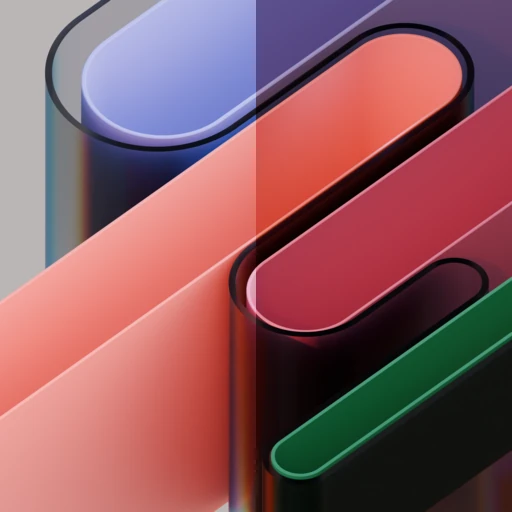
GNOME 51 features a brand new default wallpaper design, with additional variants available in the wallpaper chooser.


Developer Experience
GNOME 51 brings a range of new features and enhancements for developers working with the GNOME platform. Explore the developer section for detailed insights.
Getting GNOME 51
GNOME software is Free Software: all of our code is publicly available and can be downloaded, modified, and shared under the terms of the applicable licenses.
GNOME 51 will be available in major Linux distributions in the coming weeks. If you feel adventurous, you can try GNOME OS Nightlies as a virtual machine or on actual hardware. Flathub provides the latest GNOME apps for those who can't wait.
About GNOME
GNOME is a volunteer-driven, free and open source project that builds technology across the Linux desktop. GNOME's software is used by millions of people on every continent. Find out more about the project and how to get involved.