
What's new for developers
GNOME 50 brings a host of improvements for developers, including enhanced tools, improved libraries, and updated language bindings. Read on to learn what's new.
Builder
Builder’s editor has improved draft handling thanks to save delegate system, which improves how in-progress changes are saved and managed. The dark theme colors have also been refined to better match Adwaita’s palette, creating a more consistent look, and help documentation is more seamlessly integrated within the workspace, making it easier to access guidance without leaving the IDE.
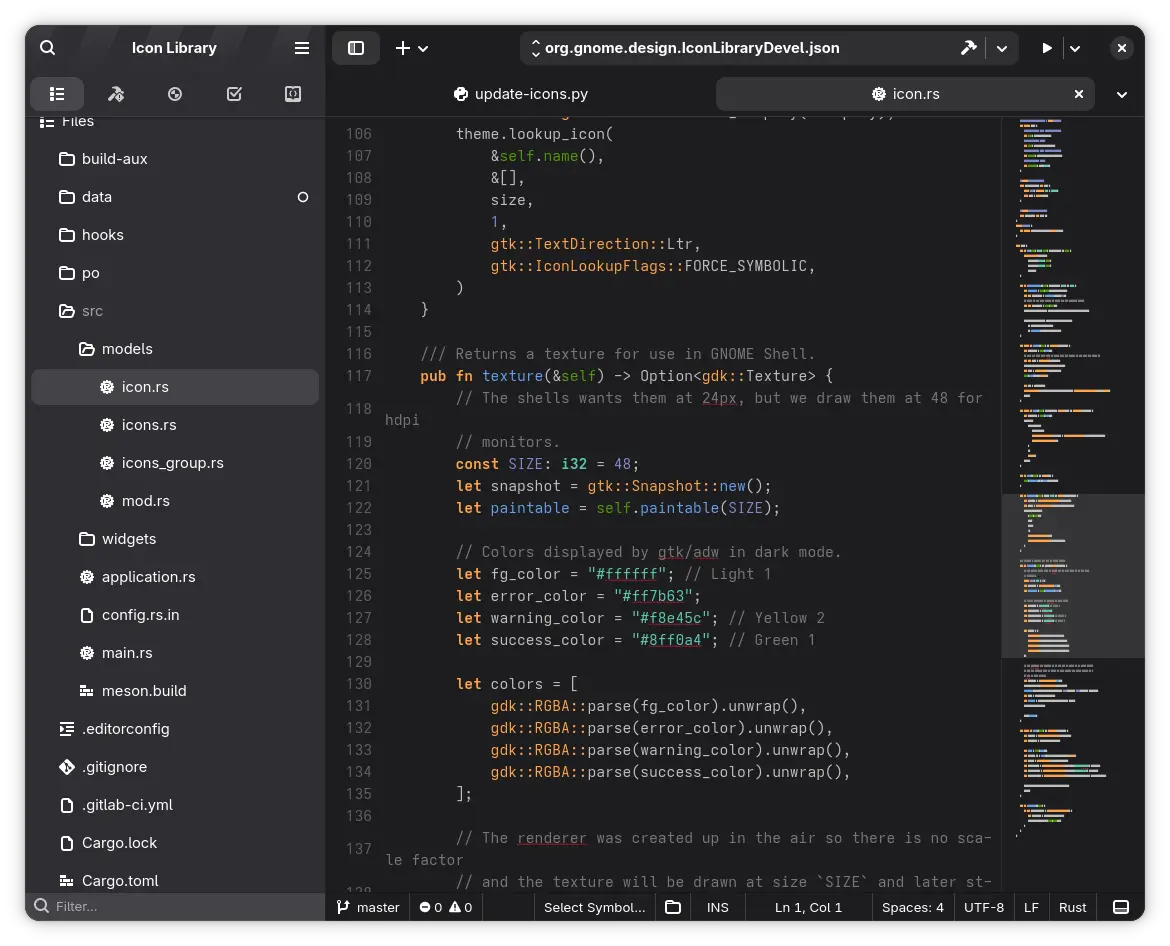
Other improvements in version 50 include:
- Flatpak support now moves deleted files to the trash instead of permanently deleting them.
- The run manager has been improved to save and restore reason settings, making it easier to understand why certain runs were executed. Meson project templates received updates along with various small usability fixes.
- The language server protocol (LSP) client better handles delete notifications, improving coding feedback. Appdata keywords were enhanced for improved app discoverability.
- The build pipeline now supports more flexible post-install commands, allowing additional steps to run automatically after builds complete.
Mutter Devkit
Mutter Devkit, the specialized utility for GNOME Shell and compositor development, has received a significant set of features in GNOME 50. These updates allow developers to simulate complex hardware configurations and workflows directly from a nested window, reducing the need for multi-monitor hardware or dedicated testing machines.

- HiDPI and Fractional Scaling: Devkit now supports high-pixel-density simulations. By utilizing the
org.gnome.scalePipeWire tag, the tool can match the host's scaling factor, allowing for crisp UI testing at 200% or fractional scales like 125%. See the merge request for details. - Multi-Monitor Support: Developers can now spawn multiple virtual displays within a single session. This is essential for testing window-snapping logic, workspace behavior across screens, and multi-panel layouts. See MR for details.
- Clipboard Integration: Data can now be shared between the host system and the Devkit instance. This streamlines the debugging process by allowing for the easy transfer of logs, commands, or test strings. See MR for more details.
- Resizable & Emulated Monitor Modes:
- Resizable: The virtual display can be dynamically resized by dragging the window borders.
- Emulated Modes: Developers can set specific resolutions (e.g., via Settings or gdctl) to simulate how the shell behaves when constrained by physical monitor hardware.
Native SVG Support in GTK
GNOME 50 is accompanied by the latest version of GTK, 4.22. The biggest change this release is native SVG Support with GtkSvg, a new native SVG renderer. This represents a major architectural shift, moving away from external dependencies for core icon rendering to a high-performance, toolkit-integrated solution.
Key GtkSvg highlights for developers:
- Native Integration: GtkSvg is an in-process parser and renderer designed specifically for trusted assets like system icons and application resources. It integrates directly with the GTK Scene Graph (GSK).
- Support for Animations: Unlike previous symbolic icon parsers, GtkSvg supports SVG animations. This allows developers to implement "expressive" iconography, such as dynamic progress indicators or interactive UI elements, directly within their assets. Look forward to utililsation of this functionality in the upcoming releases.
- High Standards Compliance: The renderer is highly robust, passing over 1,250 tests in the
resvgtestsuite. It handles modern SVG features efficiently while remaining lightweight. - Optimized Performance: Extensive benchmarking has been used to ensure that the new renderer maintains the smooth, 60fps+ performance expected of the GNOME desktop.
- The Future of Iconography: While GNOME 50 uses GtkSvg alongside existing methods, it sets the stage for a unified rendering path in future versions, simplifying the stack and reducing memory overhead.
Security Boundary: GtkSvg is intended for trusted system and app resources. For rendering untrusted, third-party, or user-provided SVG files, developers should continue to use the sandboxed Glycin library.
Libadwaita
GNOME 50 is accompanied by the Libadwaita 1.9. This release introduces new sidebar widgets, modernizes CSS handling, and comes with tooling improvements for developers.
New Sidebar Widgets
The most notable change in Libadwaita 1.9 is the introduction of new sidebar widgets, which make it much easier to implement sidebars for common use cases. The first of these new widgets is AdwSidebar, a sidebar with support for sections, tooltips, context menus, a drop target, and more. The second is AdwViewSwitcherSidebar, which allows a AdwViewStack to be navigated from a sidebar. This replaces the existing GtkStackSidebar. As part of this change, AdwViewStackPage has been given new API for defining sections within the view switcher sidebar.
Other Changes
Other notable improvements in Libadwaita include:
GTK_DEBUG=builderdiagnostics now work for all standard widgets, allowing developers to catch deprecated patterns in UI files more easily.AdwNoneAnimationTargethas been added for situations where animations are used as frame clock timers.- Most widgets now automatically support the new system-wide reduced motion preference.
AdwAboutDialoglink rows now have context menus.- As previously announced, autoloaded style resources (
style-dark.css,style-hc.css, andstyle-hc-dark.css) have been deprecated in Libadwaita 1.9. Developers are recommended to usestyle.csswith standard CSS media queries instead.
More details about these changes can be found in the Libadwaita 1.9 blog post.