Introducing GNOME 41
GNOME 41 is the product of 6 months work by the GNOME project. It includes a number of significant improvements and new features, as well as a large collection of smaller enhancements.
The most notable changes this in release include an improved Software app, new multitasking settings, and enhanced power management features. With these changes, GNOME is smarter, more flexible, and offers a richer and more engaging experience than ever before.
The new release also comes with significant improvements for developers, including a new developer documentation website, a major new version of the Human Interface Guidelines, new features in the Builder IDE, GTK 4 enhancements, and much more.
Thanks to the work of GNOME's translation teams, GNOME 41 is available in 38 languages.
GNOME 41 is the second release to use GNOME's new version numbering scheme. This replaced the old odd/even point release approach with a simpler, single integer. The next release, version 42, is planned for March 2022.
More Power To You
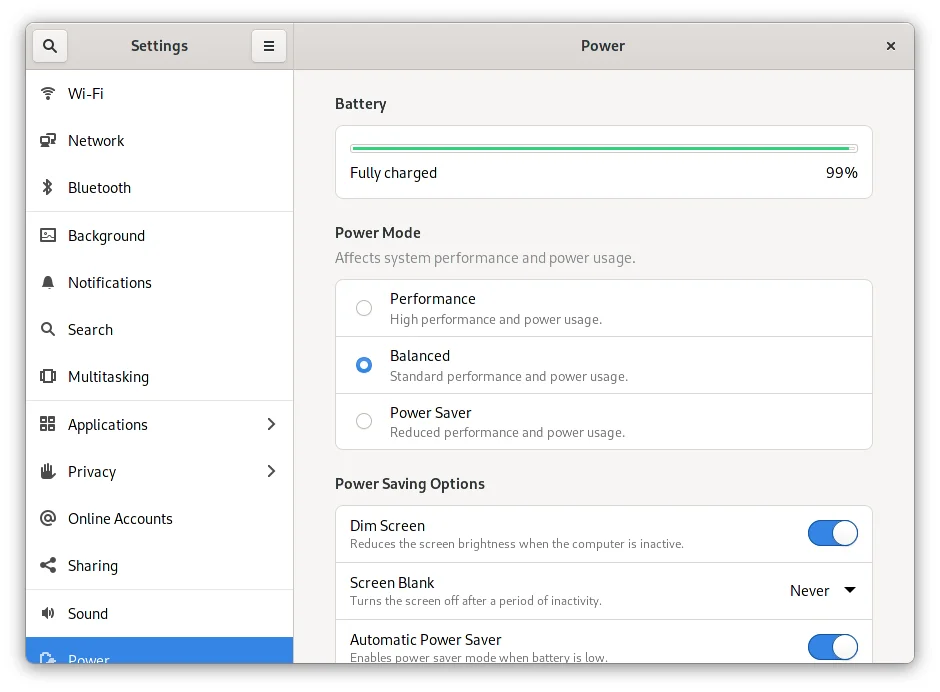
GNOME 40 introduced a new power mode setting. This allows switching between three power modes, which affect both performance and power consumption:
- Balanced: the default power mode, which provides standard performance and power consumption.
- Performance: increases CPU performance and power consumption, allowing many applications and activities to run faster.
- Power Saver: slower performance and lower power consumption.
Tip: Performance mode is only available on hardware that supports this feature. On hardware that doesn't have performance mode, the performance mode option is not shown.
With GNOME 41, the power mode feature has been improved. Power modes can now be quickly changed from the System Status menu, and Power Saver mode has been enhanced, so that the screen dims and fades more rapidly when it is active. Power Saver will also automatically turn on when the battery level is low.
Initial support has also been added to allow applications to request a particular power mode. This will be most relevant for allowing performance sensitive apps, such as games, to request performance mode.
New Look Software
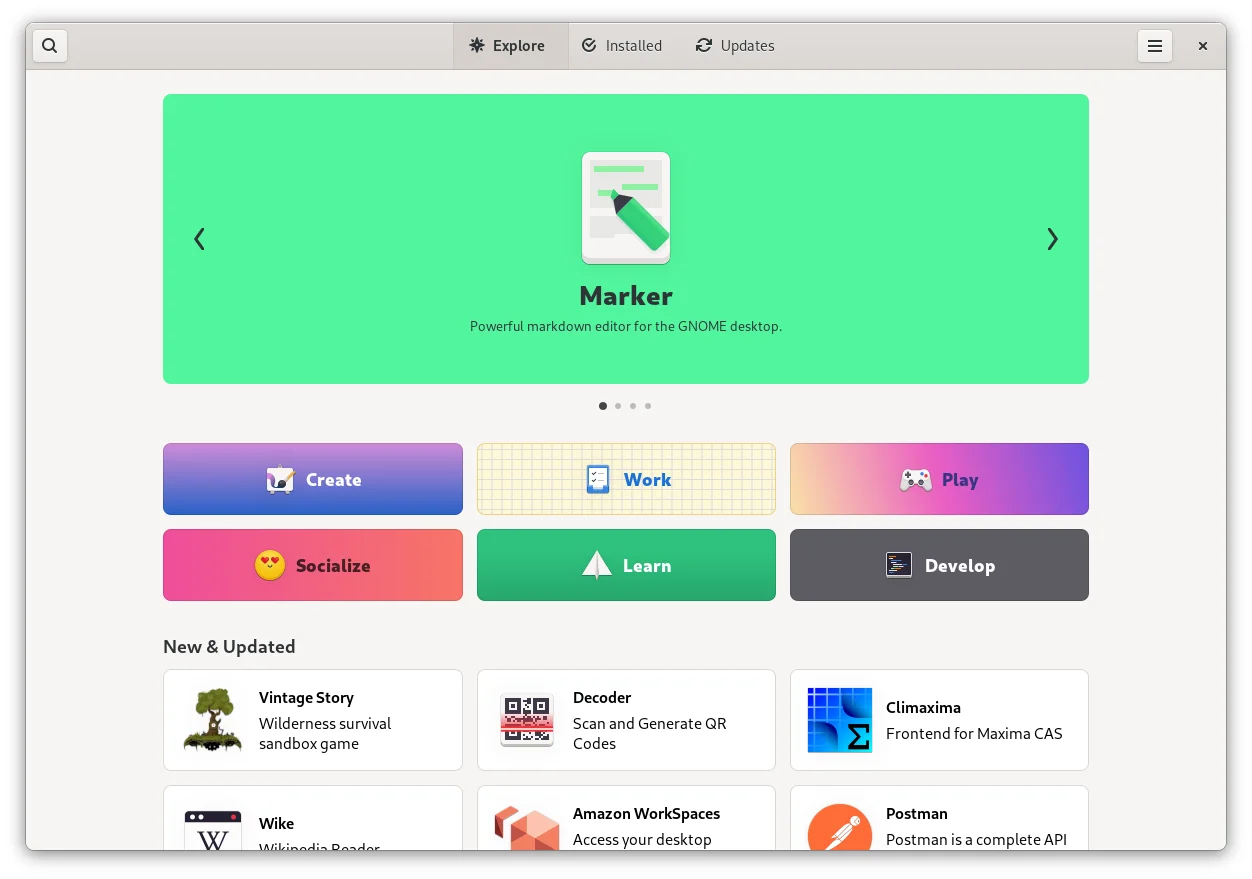
Software has been given an overhaul for GNOME 41, making it look and work better than ever before.
- The updated explore view makes it easier to browse and discover apps, with descriptions of each app and more attractive tiles.
- A new set of categories helps with browsing and exploring available apps.
- Details pages have a new design, with bigger screenshots and new information tiles, which provide a better overview of each application.
Almost every part of Software has been polished or improved in some way. This includes redesigned settings, more attractive layouts in the installed and updates views, better OS upgrade banners, and much more.
The changes aren't skin deep, either: there have been many fixes and improvements under the hood, which make the experience faster and more reliable.
Multitasking
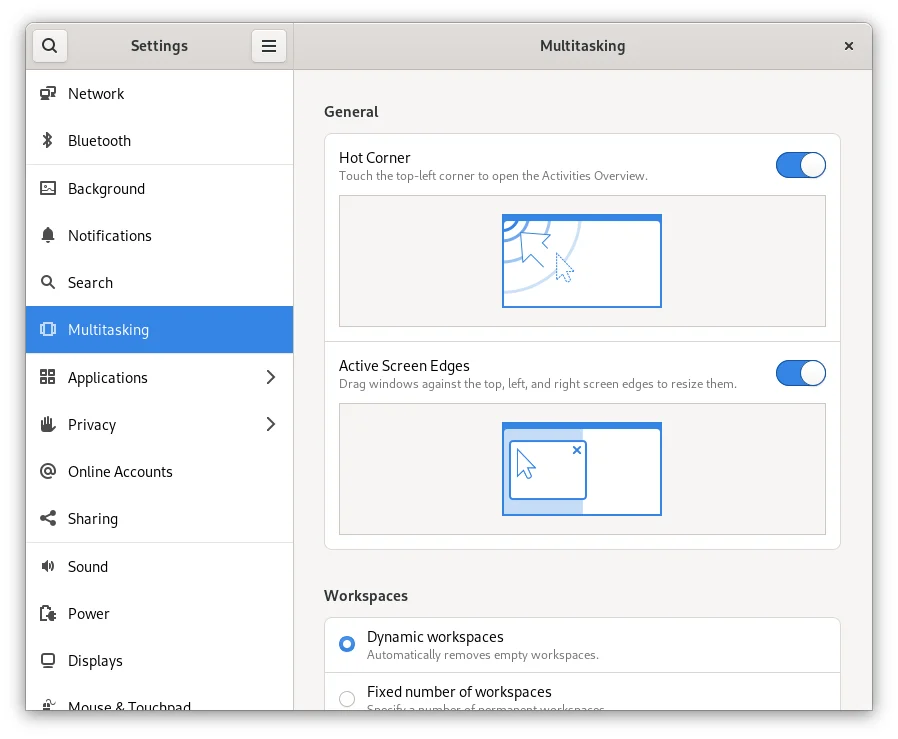
GNOME 41 includes a new Multitasking settings panel, which includes window management and workspace options. These allow:
- Disabling the Activities hot corner.
- Disabling Active Screen Edges.
- Configuring a fixed number of workspaces.
- Showing workspaces on all displays, instead of just the primary display.
- Restricting app switching to the current workspace, when using the Super+Tab keyboard shortcut.
New Connections App
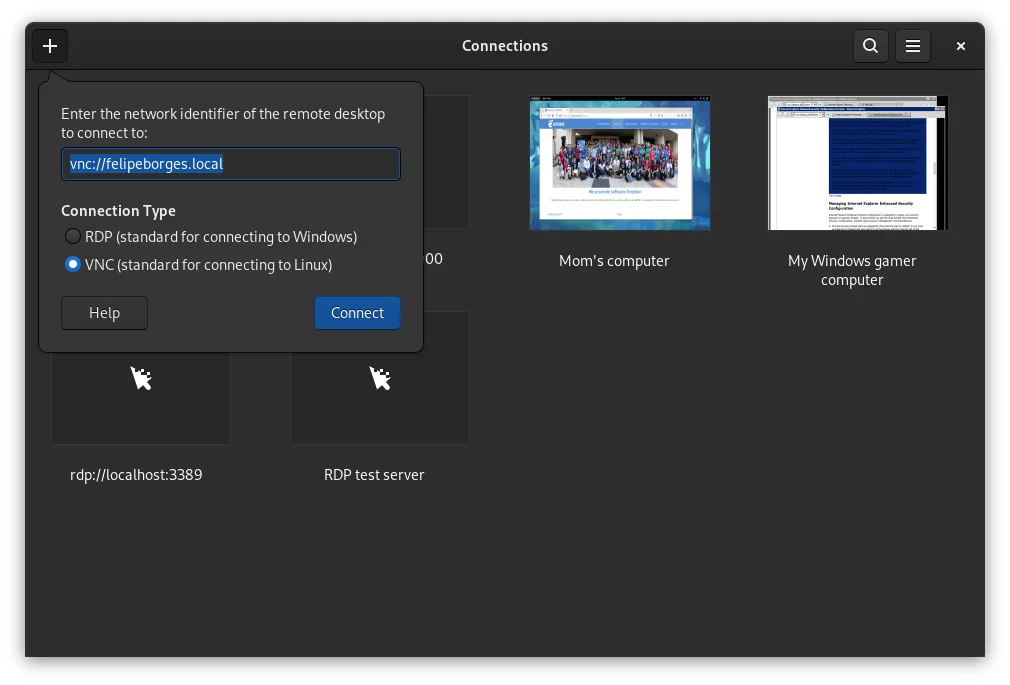
GNOME 41 includes Connections, a new remote desktop client. This provides a modern, easy to use experience for connecting to other desktops, and automatically handles as much of the complexity for you as possible. VNC and RDP connections are both supported.
Connections replaces the remote desktop functionality that was previously found in Boxes.
Mobile Settings
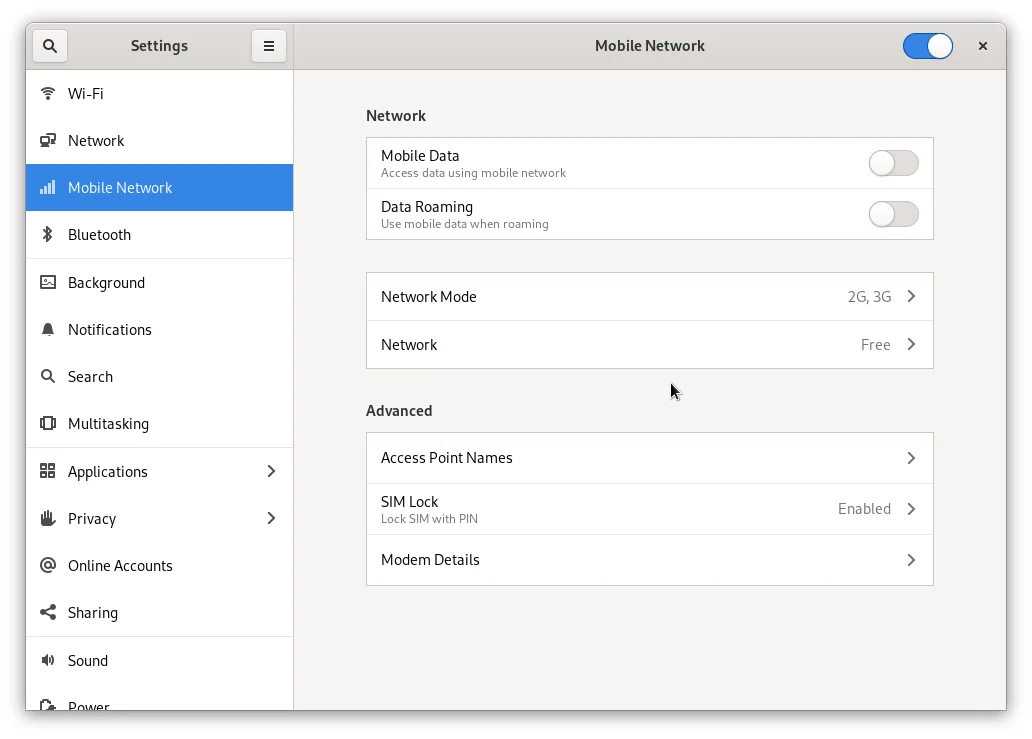
GNOME 41 includes a new Mobile Network settings panel. This allows configuring mobile network connections, and works with 2G, 3G, 4G, and GSM/LTE modems.
The new Mobile Network settings are only shown when a supported modem is present. They allow setting the network type, selecting whether mobile data should be used, and whether data should be used while roaming. They also support using multiple SIMs and modems, and allow easy switching between networks.
The new settings replace the previous mobile network settings.
Performance Improvements
GNOME is continually working to improve performance, responsiveness and smoothness, and GNOME 41 includes a collection of improvements in this area.
- Efficiency improvements in GNOME 41 mean that the screen will update faster in response to keyboard and pointer input. This change only applies to those using the Wayland session, and the effects will be more noticeable with some displays rather than others (the improvement is more significant on displays with lower refresh rates).
- System-level multitouch gestures now behave more reliably and consistently.
- GTK 4 has a new default GL renderer, which provides faster rendering and reduced power consumption.
- Finally, a major code cleanup has been carried out in Mutter, GNOME's window manager, which will improve long-term maintainability and efficiency.
Music
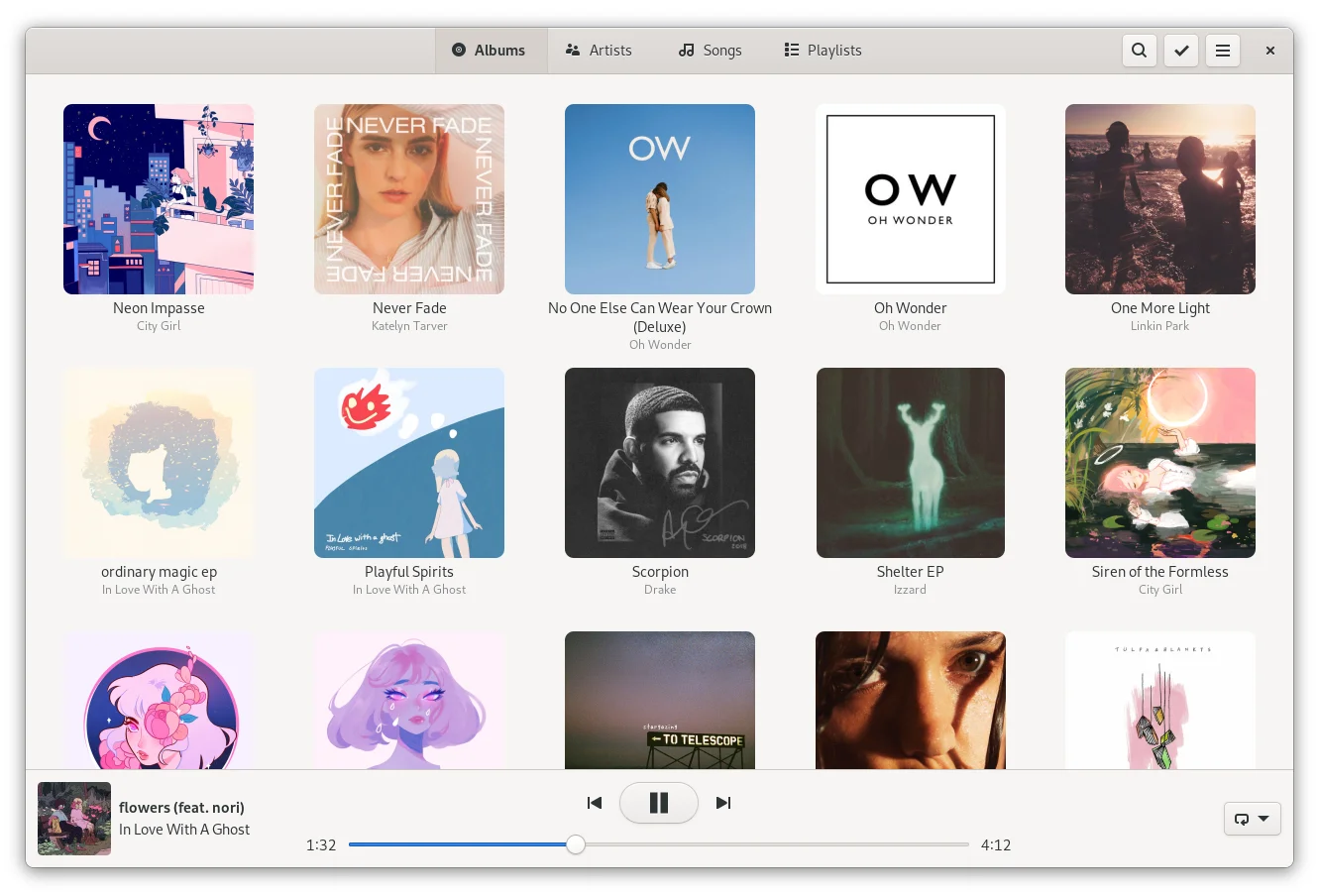
Music has been given a round of UI updates for GNOME 41. Artwork is now larger and has rounded corners, the artist list includes images, a new album view includes a handy play button, and the redesigned player bar is more spacious. Music also has new welcome artwork.
That's Not All
GNOME 41 includes lots of other, smaller improvements. These include:
- The ability to create encrypted
.ziparchives in Files (these require a password to be opened). - A new Calendar feature that allows importing events
from
.icsfiles. - Improved support for dark mode in Web, along with faster pinch to zoom (on heavy websites), and better handling of unresponsive websites.
- Better window resizing in Calculator: enlarging the window will now reveal additional controls, and the window will also shrink down to fit on mobile displays.
These are just some of the many small improvements found in GNOME 41.
More Information
GNOME 41 also has lots to offer developers, and is translated into many languages.
Getting GNOME 41
GNOME’s software is Free Software: all our code is available for download and can be freely modified and redistributed according to the respective licenses. To install it, we recommend that you wait for the official packages provided by your vendor or distribution. Popular distributions will make GNOME 41 available very soon, and some already have development versions that include the new GNOME release.
About GNOME
The GNOME Project is an international community supported by a non-profit Foundation. We focus on user experience excellence and first-class internationalization and accessibility. GNOME is a free and open project: if you want to join us, you can.
Developer Information
Major improvements have been made to the GNOME developer experience during the GNOME 41 development cycle. Read on to find out more!
Improved Documentation
GNOME 41 is accompanied by an extravaganza of documentation improvements! These encompass changes to the GNOME developer website, new general developer documentation, improved API docs, and a new version of GNOME's design guidelines.
New Docs Site

Since GNOME 40, GNOME's main developer website has been replaced with a new streamlined portal, which provides access to all the GNOME platform docs.
This is coupled with a new developer docs site, which contains general developer documentation, including:
- A new introduction to the GNOME platform, which includes an overview of included components and services, information on the various programming languages that can be used, and introductions to Builder and Flatpak.
- Guidelines on general topics such as programming conventions, accessibility and localization.
- Short tutorials on common developer tasks, like how to use notifications, or create a menu in GTK.
New API Docs
Many GNOME libraries are now using a new API docs tool, called
gi-docgen. This produces more accurate and consistent
documentation, as well as improved documentation websites.
The primary users of gi-docgen are GTK and its associated
libraries, whose docs can be found at
docs.gtk.org. This includes API
docs for
GTK,
GDK,
GSK,
Pango,
GdkPixbuf,
GLib,
GObject, and
GIO.
New Human Interface Guidelines
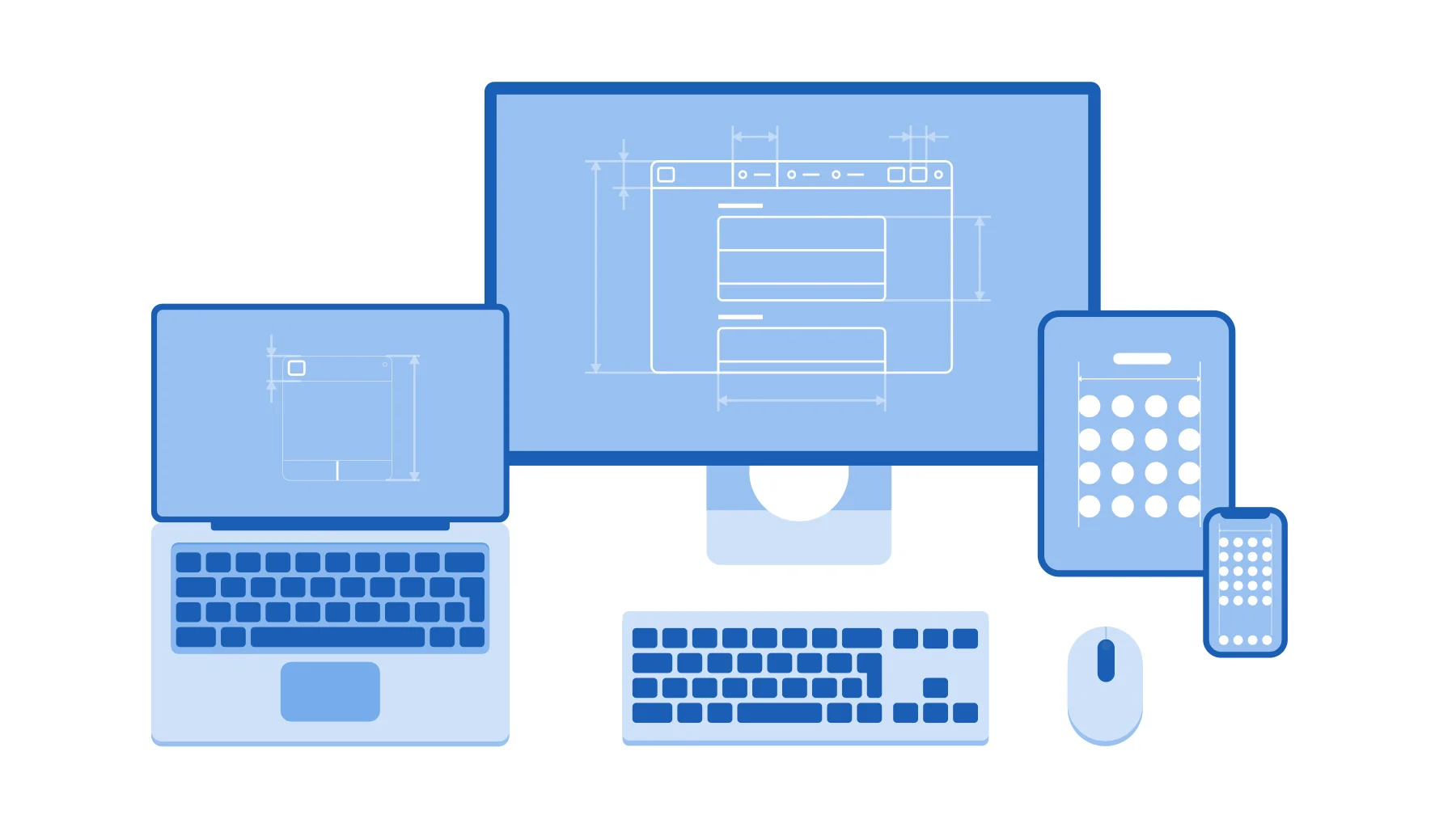
GNOME's design documentation has also been expanded and refined during the GNOME 41 development cycle.
The guidelines have been updated to match contemporary design practice. They have also been substantially expanded, with additional material on accessibility, UI styling, adaptive UI, navigation structures, and more. Virtually all the old content has been rewritten, to make the guidance as accessible as possible.
Finally, the HIG has a new website, which looks better, and is easier to navigate and search.
Better Builder
Builder, the GNOME IDE, has a large collection of enhancements for GNOME 41.
The "find in files" feature, which allows finding and replacing strings across an entire project, has been redesigned for GNOME 41. It is now located in a persistent section in the bottom panel, which makes it more discoverable, and has a new search UI, which makes it easy to browse results across a project.
Builder's preexisting support for deploying to connected devices has been improved for GNOME 41. This allows building and then deploying Flatpak bundles to connected devices, such as mobile devices. It now works much more automatically; to learn how to use it, see James Westman's tutorial.
For GNOME 41, Builder can now also build and run CMake
projects, and it can build projects that use a pure Make build setup in a
Flatpak environment (thanks to being able to handle make-args and
make-install-args).
Finally, Builder has a new markdown renderer for GNOME 41, which produces much better-formatted Markdown previews.
GTK 4
There have been two minor updates to GTK 4 since the GNOME 40 release: 4.2, and 4.4.
NGL, the new GL renderer for GTK 4, is now the default renderer on Linux, Windows and Mac. It has noticable improvements to frames per second, as well as power and CPU usage. Input handling has been another area for improvements in GTK, with changes in compose and dead key handling.
Other improvements in the 4.2 and 4.4 releases include:
- GTK Inspector is now enabled by default, to make debugging easier.
- There have been various improvements to GTK 4 on Windows, such as using GL for media playback and improved drag and drop support.
- Emoji data has been updated to CLDR 39.
The GTK development blog includes more information about the GTK 4.2 and 4.4 releases.
libadwaita
libadwaita is an in-development companion library for GTK 4, which is working towards an initial 1.0 release in the coming months. It will provide the GNOME GTK stylesheet, additional widgets, and convenience functionality for GTK 4 GNOME apps. It is the technological successor to libhandy (which can be used in combination with GTK 3).
libadwaita developments during the GNOME 41 cycle include:
- A substantial amount of API cleanup and code refactoring, as the library approaches its 1.0 release.
- Significant CSS stylesheet changes, including a major refactoring, general style updates, and work to support recoloring. The latter will facilitate dark mode as well as allowing apps to recolor their UIs.
- The addition of
AdwApplication, a new base class for apps which reduces repetitive code and handles library initialization. - Inclusion of unread badges in view switchers.
- API documentation is now generated with gi-docgen.
Documentation on how to use each of the options provided by
libadwaita will be included in the Human Interface Guidelines,
to coincide with the libadwaita 1.0 release.
GJS
GJS, the project providing JavaScript bindings for the GNOME platform, boasts a number of improvements in GNOME 41:
- Memory usage has been reduced by approximately 40 bytes per GObject.
- The
TextEncoderandTextDecoderglobal objects have been added, which replace the olderimports.ByteArraymodule. - An
ignoreCaughtExceptionsoption has been added to the GJS debugger. Enabling this option makes the debugger skip exceptions if they are already going to be caught elsewhere in the code. - Documentation for new contributors has been updated.
GJS 41 also includes a good collection of bug fixes.
gtk-rs
Rust support for the GNOME platform has made significant progress since GNOME 40:
- Bindings are now provided for GTK 4 and associated libraries.
- It's now easy to get started with Rust and GTK 4, thanks to the new GUI development with Rust and GTK 4 book. Additionally, the GTK Rust template can also be used as the basis for new GTK 4 Rust projects.
- GTK composite templates are now supported, allowing more efficient creation of custom widgets. An example shows how this can be used in practice.
- Aside from these other major changes, there have been many other smaller improvements, including better documentation, additional GLib macros, simpler subclassing, and more.
Read the release announcement on the gtk-rs blog for more details.
Flatpak SDK Updates
The GNOME Flatpak SDK received a number of improvements for GNOME 41:
- The Flatpak SDK is now built with sysprof support enabled, making profiling flatpak applications easier.
- zenity and librest were removed from the runtime.
- libmanette was added to the runtime, enabling gamepad support in WebKit.
- The base runtime was updated to
freedesktop-sdk 21.08, bringing in newer toolchains (such as GCC 11 and LLVM 12) and libraries (such as Mesa 21.2).
GNOME OS Updates
GNOME OS provides nightly development snapshots of a complete GNOME system. While it is primarily used for GNOME project QA, it can also be a useful reference for downstream distributions and app developers. It has received a variety of updates during the GNOME 41 cycle:
- GNOME OS libraries are now built with sysprof enabled, making profiling applications on GNOME OS easier.
systemd-homedis now included and can be enabled manually usinghomectl.- Support has been added for smartcards and other security keys.
- The
openconnect,fortisslvpn,vpncandopenvpnVPN backends have been added to NetworkManager. - LXC tooling is now included.
- RISC-V was added as a CPU architecture.
- Mutter is now built with
initfdsupport, enabling better XWayland support. - xdg-desktop-portal-gnome has been added, for GNOME-specific desktop portals.
Finally, GNOME OS builds are now tested using an openQA instance hosted at openqa.gnome.org. For details on how developers can use this openQA instance, see the developer documentation.
That's Not All
Other improvements for developers include:
- Tracker is now available for macOS via
Homebrew. Install it by running
brew install tracker. - Devhelp now supports API reference documentation
generated with
gi-docgen. - App developers can request the high-performance power profile when
running a command using
powerprofilectl. For example:
Internationalization
Thanks to members of the worldwide GNOME Translation Project, GNOME 41 offers support for more than 38 languages with at least 80 percent of strings translated. User documentation is also available in many languages.
- Basque
- Brazilian Portuguese
- British English
- Catalan
- Chinese (China)
- Chinese (Taiwan)
- Croatian
- Czech
- Danish
- Dutch
- Finnish
- French
- Friulian
- Galician
- German
- Greek
- Hebrew
- Hungarian
- Indonesian
- Italian
- Korean
- Latvian
- Lithuanian
- Malay
- Norwegian Bokmål
- Occitan
- Polish
- Portuguese
- Romanian
- Russian
- Serbian
- Serbian (Latin)
- Slovak
- Slovenian
- Spanish
- Swedish
- Turkish
- Ukrainian
Numerous other languages are partially supported, with more than half of their strings translated.
Detailed statistics and more information are all available on GNOME’s translation status site. You can also find out how to help translate GNOME.